

Images
Start from a source image or from scratch. Refine, remove the background, replace an area, upscale and crop without a separate image editor.
Първото медийно студио в ЕС
Едно частно студио за локални изображения, видео и звук. 25 езика, 32 регионални среди и работен процес, създаден за екипи, които не могат да използват генерични материали.
 AI-generated image
One studio
One account and one credit balance cover the whole production. You do not have to decide in advance whether the result is a still image, a video clip or an audio file.
Start from a source image or from scratch. Refine, remove the background, replace an area, upscale and crop without a separate image editor.
Short clips, continuations, editing, trimming, merging and subtitles in the same workspace.
Speech, music and effects. Trim, merge and transcribe without a separate audio tool.
Tools
The studio is not one button. It is a complete toolkit, with tools for every media type.
Continue from a source image, refine and finish.
Short clips and finishing for recordings.
Speech, music and effects in the same storage.
AI coding agents
Give an AI coding agent secure access from your profile and connect it to the studio through MCP. Set it up in just a few clicks. The AI can create and finish images, videos and audio and install them directly into your project. You can even create audio versions of your content to listen to.
Download finished media into your project. Media is retained for 30 days.
Read the MCP guideMCP endpoint
https://mcp.imaginum.studioToken from your profile
Authorization: Bearer imgn_…Workflow
The work does not stop to move an image into another program, cut a video in a third and process audio in a fourth.
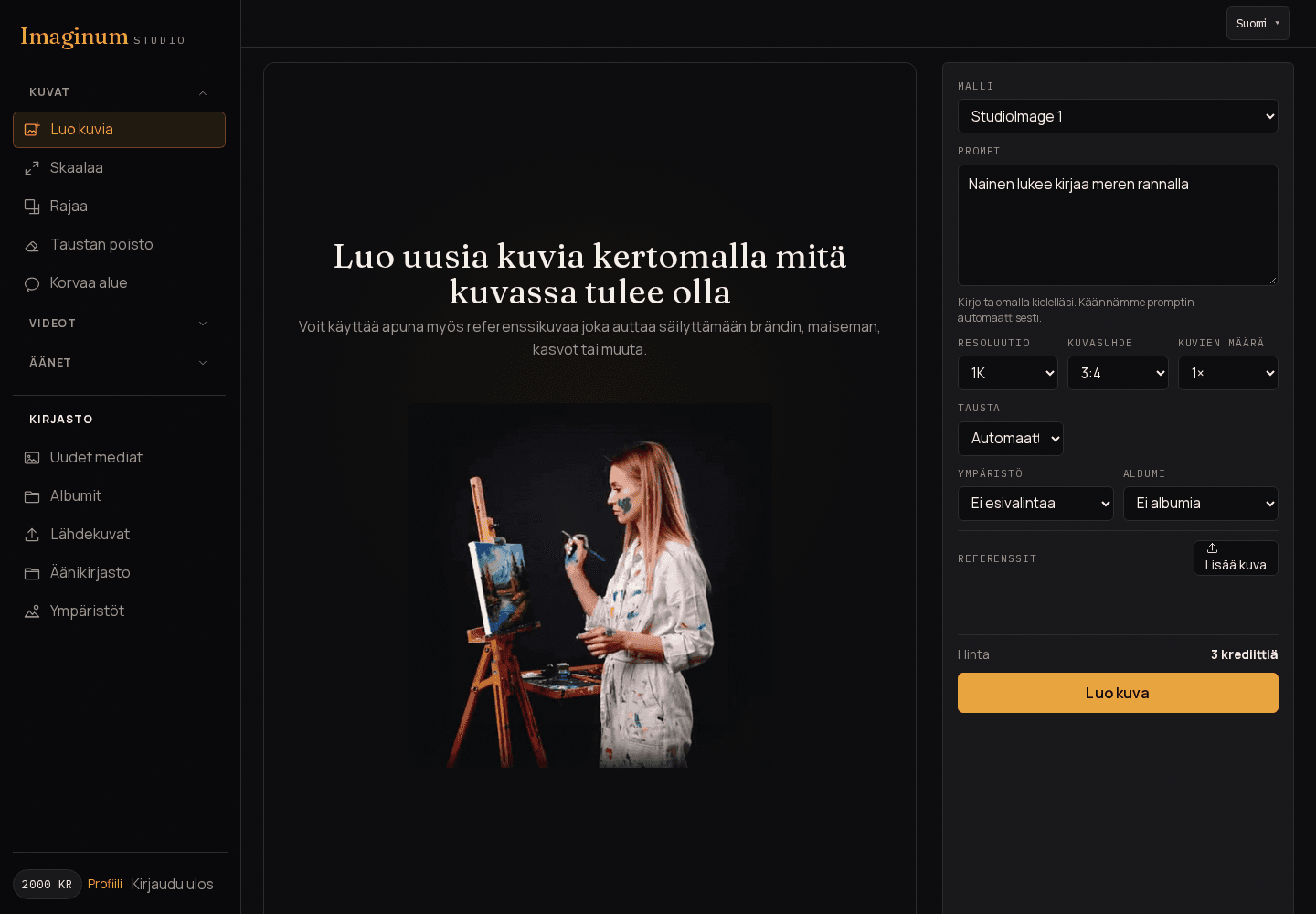
Your own image, a gallery file, video or audio.
Describe what the image, video or audio should be.
Continue from the result, change details or mark an area again.
Crop, upscale, remove the background, replace a distracting area, trim video or subtitle a recording.
The finished file stays in the same storage and can be downloaded from there.
Use cases
Different work, one workspace. A few common ways to use the studio.
Product images with different backgrounds, aspect ratios and seasonal versions. Background removal, cropping and upscaling in one workspace.
Campaign images and local versions without a separate production round for every variant.
Crop and upscale images, replace distracting details with area replacement that considers the environment and content, as well as subtitle video recordings and use the audio tools.
Portrait and landscape images, short videos and subtitles from the same source. You can also add speech, music or sound effects to videos.
Fast drafts, respect for client privacy and finishing material without spreading assets across multiple services.
Header images, mood images and local environments for website needs.
Selected work
A few examples from the studio: cropping, background removal, area replacement and video continuation.
 BeforeAI-generated image
 AfterAI-generated imageBeforeAI-generated image
 AfterAI-generated image
 BeforeAI-generated image
 AfterAI-generated image
 AfterAI-generated image
Video
The short clip came first. A smooth continuation was created for it, and finally the two parts were merged into one video.
Start, continuation and the merged result. One video at a time.
Image to video
The park image served as a reference for the video. The children, frisbee and golden retriever puppy continue the same moment.
Среди
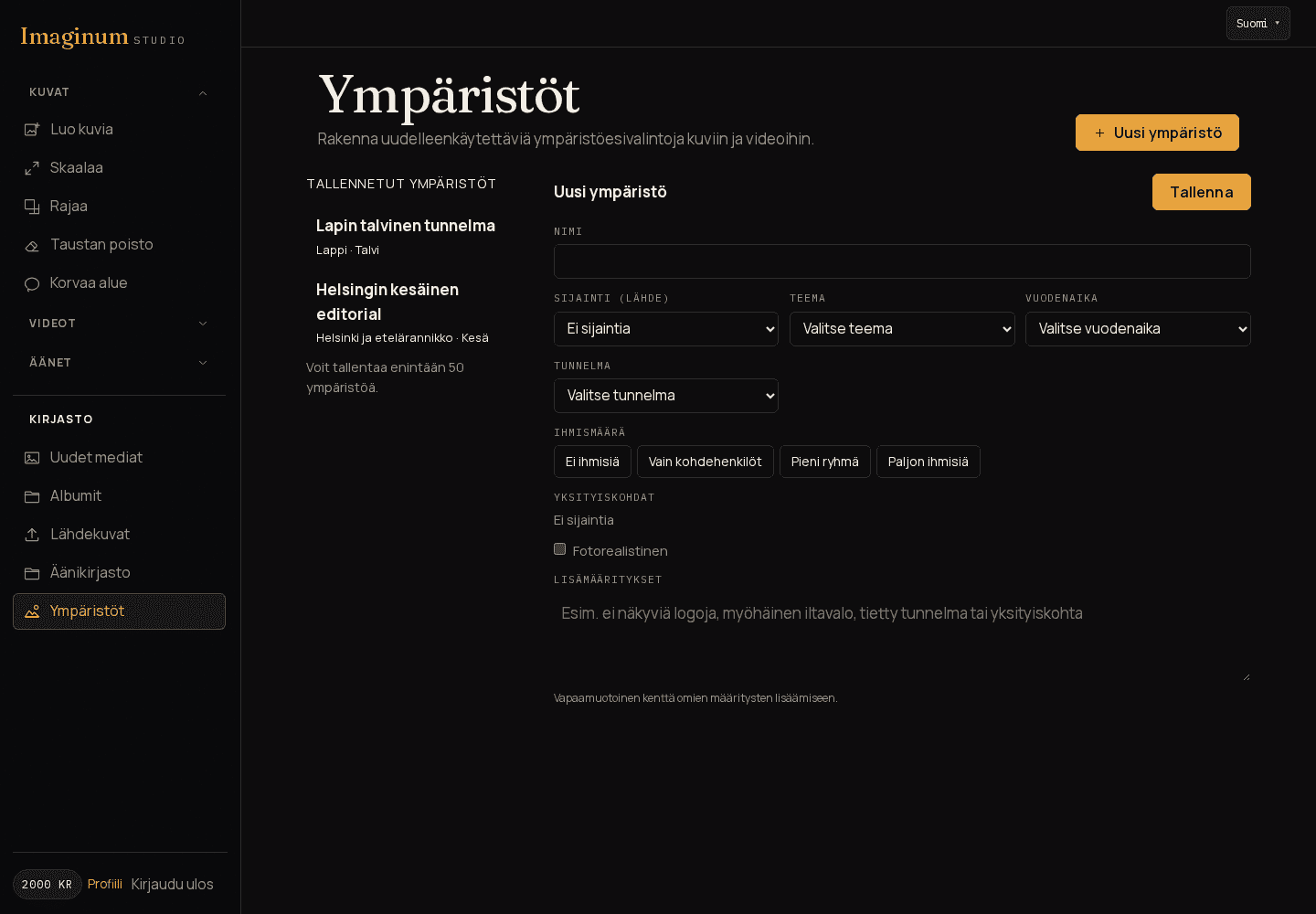
Изберете от 32 регионални профила във Финландия, Швеция, Норвегия, Дания, Исландия, Естония, Латвия и Литва. Добавете тема, сезон, настроение, брой хора и само местните детайли, които искате.
Среди
Comparison
A traditional workflow collects tools across different services. Imaginum brings image, video and audio into one workspace and one storage.
| Feature | Separate tools | Imaginum Studio |
|---|---|---|
| Images, videos and audio | Separate programs and subscriptions | One account and one credit balance |
| Storage | Files in several places | Outputs in the same storage |
| Finishing | Exports and imports between programs | Crop, upscale, background removal, area replacement, video trimming and subtitles in the same workspace |
| Local context | Stock images and separate sources | 32 ready regional profiles |
| Privacy | Assets spread across services | Private media and owner-only access |
| Billing | Several monthly subscriptions | One credit balance and clear plans |
Imaginum does not replace a full image editor or video editing suite. It reduces the need to move everyday work from one tool to another.
Поверителност
Генерираните медийни файлове принадлежат на акаунта, който ги е създал. Ние не публикуваме публична галерия и никой извън вашия акаунт няма достъп до вашите медийни файлове.
Планове
Всички цени са нетни. ДДС се добавя при плащане, където е приложимо. Месечните кредити са включени във всеки план.
Пробен период
100 кредита, около 33 1K изображения или около час реч. Еднократно плащане, без автоматично подновяване.
Creator
14,99 €/mo
25% по-евтино от отделни кредити
Pro
29,90 €/mo
40% по-евтино от отделни кредити
Premium
99,99 €/mo
50% по-евтино от отделни кредити
Допълнителни кредити могат да бъдат закупени със свободно избрана сума, заедно с всеки месечен план.
FAQ
Yes. Outputs and source material are available only to the owner. There is no public gallery.
You can use your own outputs commercially when you have the rights to the source material and follow the terms of service. Imaginum does not restrict or reserve rights to your outputs except as needed to enable their processing in the service.
Credits cover image, video and audio processing. The exact cost is shown before every run.
The trial is a one-time payment: 1 euro, 100 credits and 7 days. It does not renew automatically.
Created media and source material are available for 30 days.
The interface is available in 25 languages. Descriptions can be written in Finnish, Swedish or English.
Downloads can include a visible AI label and limited provenance metadata. EU directives require AI labelling in certain cases, but not all. We therefore do not force an AI label, but the user is responsible for using it when required. You can also add an AI label to downloaded media yourself.
Yes. You can use an upload, a gallery image or a URL source. Uploads and URL sources require a rights confirmation.
Помощен център
Прочетете ръководствата за модели, среди, редактиране, абонаменти и обработка на данни. Помощният център е достъпен на същите 25 езика.